












Comprar Colory VR Painter PC

Este contenido requiere el juego base: Colory Engine

¿Dónde puedes comprar la clave Steam para {6} de Colory VR Painter más barata? Compara precios en 1 tiendas para encontrar la mejor opción entre 1 ofertas en XD.deals. Ahora el precio más bajo de Colory VR Painter para {6} en keyshops se puede conseguir en 20,99 € (0% de descuento).

Lanzamiento: 22 oct 2020
Keyshops
No disponible
Comprar en tienda oficial:
20,99 €
Comprar en keyshops:
Ver historial de precios

Tiendas oficiales (1)

DRM:
Steam
Steam
Steam
Colory VR Painter
Windows
hace 1a
DRM:
Steam
Steam
20,99 €
Historical Low Deal
Historical low

Sobre Colory VR Painter

Colory VR Painter - sobre el juego
This enables the "Colory VR Painter" application.
(Headset required)

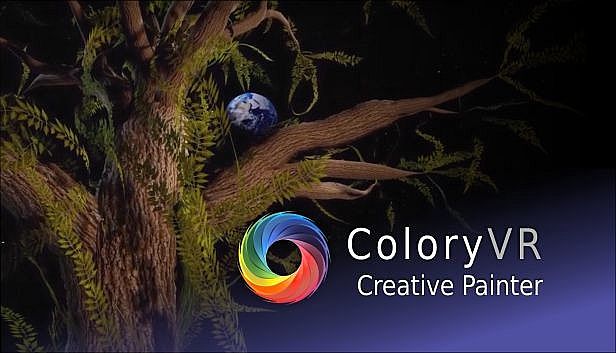
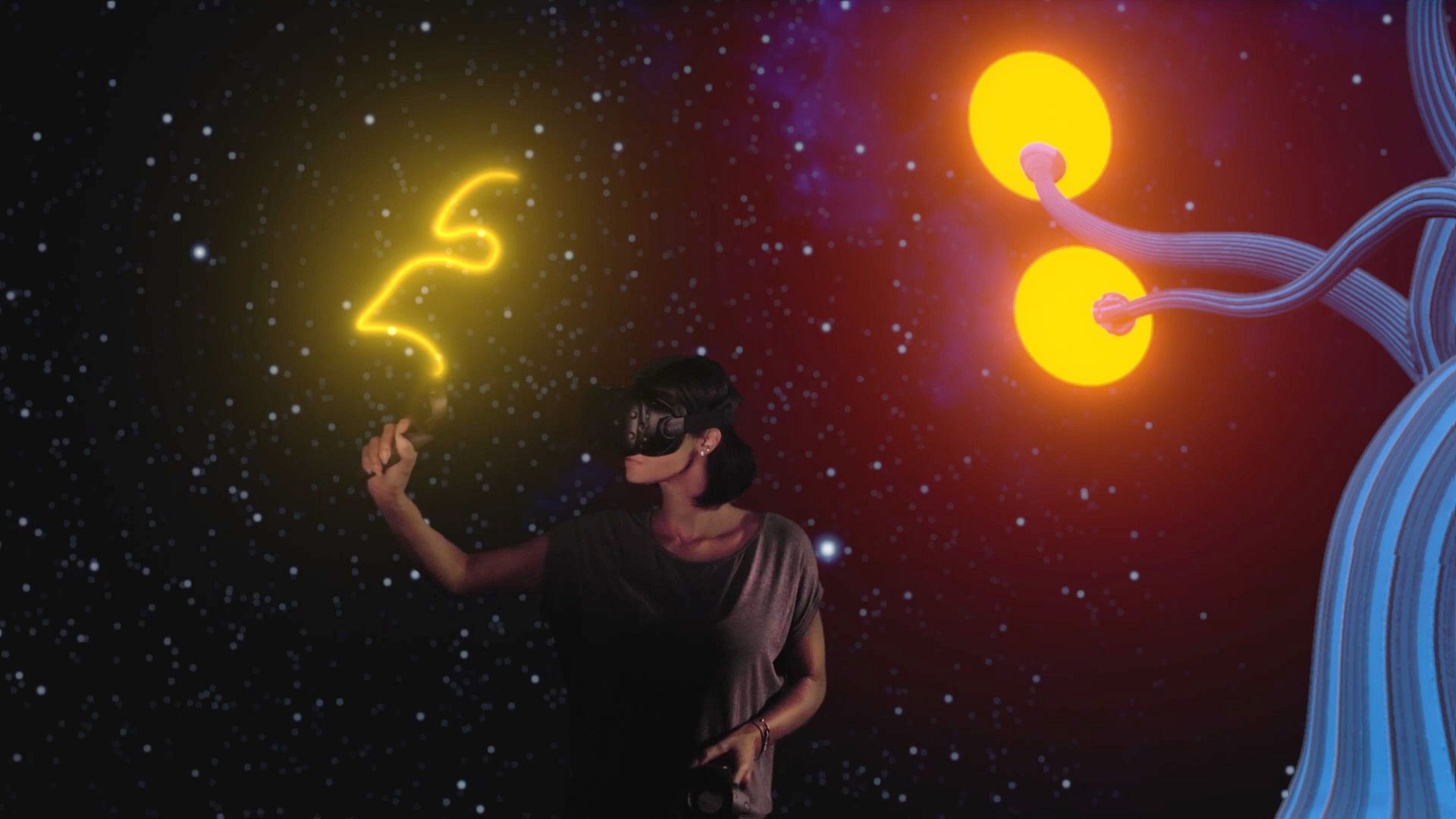
Colory VR is a creative virtual reality application.

Multiple tools allow the instant creation of 3D objects in 3D space directed by the users hand.
Let your imagination drive your brush to create your dreams faster then ever before.

WORKSHOP:
Get inspired by hundreds of brush materials.
The ColoryVR WORKSHOP features beautiful and free brushpacks released by us and the community.
You can also share your painting easely via the workshop.

MODKIT:
Inspire others by sharing your own brushpack.
Create your own brushes with your own textures with the included ColoryVR MODKIT.
The modkit is a custom unreal editor. so you have full flexibility to create your own brushes.
In-Editor tutorials guide you step-by-step through the process.

FREE VIEWER VERSION:
ColoryVR features a free of charge "View-Only" version. So you can share your paintings with friends who do not own the paid full version.
Toolset
Spline Brush
The Spline Brush allows the user to draw strokes of paint. This is what comes closest to drawing with a pencil in 2D. The settings allow for different shapes and brush behavior. The created 3D shape is further defined by the material the user has choosen to draw with.


Convex Brush
The Convex Brush allows the user to draw convex hull objects. This tool is usefull to create volumes ealisy. The created 3D shape is further defined by the material the user has choosen to draw with.


Particle Brush
The Particle Brush creates multiple particles with a single stroke. The material applied not only defines the visuals of the particle, but also the behavior, the spread, the rotation and the amount of particles created. The settings of the tool allow for further fine tuning of the behavior and selection of particle shape


Poly Brush
The Poly Brush is a tool that is connected to the Google Poly Library of static meshes and requires an usage agreement and an online connection. Supported is the download and placement of objects created with Google Blocks application.

Recolor Tool
The Recolor Tool gives the user the option to change the color of a stroke after drawing it. It supports multiple modes like multiply, divide, shift hue, lighten, ... or simply set a different color.


Selection Tool
The Selection Tool give the user the ability to handle multiple paints at once. Select at will, select all paints from a layer, transfer selected paints to a different layer. Selections can be scaled and copied.

Screenshot Tool
The Screenshot Tool provides you with another view into the world to capture your creations for your loved ones. Support for varios predefined resolutions as well as custom resolutions (max size depends on your graphics cards memory). Give your shots a special touch with PostProcess effects.

Video Tool
The Video Tool records animations for camera objects. These can be rendered individually or together into a .mp4 movie or image sequences. Support for multiple predefined resolutions and extensive PostProcess video effects for the special touch.

Animation Tool
The Animation Tool works in conjunction with the Scene Graph to create transform animations for objects in the scene. Animations can be recorded frame by frame or continuous with support for different playback options (Step, Linear, Curve).

Pipette
The Pipette picks colors and/or materials from existing paints in the world.

Mirror Plane (3d Mandala)
The Mirror Plane is a object that can be freely positioned in the world to mirror your brush strokes. It has options for different mirror types which end up in the creation of 3d mandalas.


Material Designer
Each brush material can be edited instantly in the in-game material designer.
This way you can permanently edit your brushes for a maximum of individuality in you paintings.

LIV - Mixed Reality integration
Mix a live-video of yourself inside the ColoryVR-World.
Additional Features
  • The player is able to scale himself up 50x bigger or smaller
  • Sun, Moon, Background and Atmosphere are adjustable in many ways.
  • The paints of the scene can be exported (obj, fbx, gltf, glb)
  • The scene is structured using the Scene Graph to support multiple layers and relative animations
  • Paints can be moved and copied, rescaled and recolored.
  • access to experimental features like "Sound Painting" - an approach to make sound and music with paint movements.
  • frequent updates with new surprises..
Support:
Any questions are welcomed at our discord chat:
Interfaz:
GermanEnglish

Mínimo:

  • Sistema operativo: Windows 10
  • Procesador: Intel i5-4590, AMD FX 8350 equivalent or better
  • Memoria: 4 GB RAM
  • Gráficos: Nvidia GeForce GTX 970, AMD Radeon R9 290 equivalent or better
  • Almacenamiento: 4 MB available space
  • Notas adicionales: VR Headset

Recomendado:

  • Sistema operativo: Windows 10
  • Procesador: Intel i5-4590, AMD FX 8350 equivalent or better
  • Memoria: 8 GB RAM
  • Gráficos: Nvidia GeForce GTX 1060, AMD Radeon RX 480 equivalent or better
  • Almacenamiento: 4 GB available space
  • Notas adicionales: VR Headset
Mínimo histórico
Historial de precios de tiendas oficiales
-
-
-
Historial de precios de keyshops
-
-
-
Únete a nuestro Discord
Obtén ayuda al instante de nuestra comunidad y mantente al día de las últimas ofertas
Configurar alertas de precio
Recibe avisos por correo cuando los precios bajen a tu objetivo
Crear cuenta gratis
Desbloquea listas de deseos, alertas de precio y sincronización con Steam

FAQ

8 preguntas

Antes de buscar una clave barata de Colory VR Painter, revisa lo esencial. Desarrollado por LUCID LAYERS. Publicado por LUCID LAYERS. Fecha de lanzamiento en PC: 22 oct 2020. Géneros: Indie, Casual, Simulation, Animation & Modeling, Audio Production, Video Production, Design & Illustration. Categorías: Steam Workshop, Single-player, Downloadable Content.

Q

¿Donde comprar una clave barata de Colory VR Painter para Steam?

Gracias a nuestro comparador de precios y codigos de descuento verificados, puedes comprar una clave de Colory VR Painter por solo 20,99 €. Esta oferta esta disponible en Steam y es una de las mas baratas del mercado. Todas las claves en XD.deals se entregan digitalmente y se pueden descargar al instante tras el pago. Los precios ya incluyen comisiones y codigos promocionales aplicados, asi que siempre ves el precio mas bajo de Colory VR Painter en PC. Consulta el historial de precios de Colory VR Painter para comprar en el mejor momento.

Segun nuestra ultima actualizacion (refrescamos los precios de Steam varias veces al dia), el precio de Colory VR Painter en Steam es 20,99 €. Puedes ahorrar un ~6% extra pagando con una tarjeta regalo de Steam con descuento.

Nuestro rastreador de precios cubre tanto tiendas oficiales como keyshops, asi que puedes encontrar Colory VR Painter en oferta incluso fuera de las promociones de temporada. Actualmente detectamos 1 oferta activa en tiendas oficiales y keyshops. Consulta la tabla de arriba, compara con el minimo historico y crea una alerta para no perderte la proxima bajada de precio.

Segun nuestros datos, Colory VR Painter no esta disponible actualmente en GeForce NOW. Necesitaras ejecutarlo localmente en tu PC. Consulta los juegos disponibles en GeForce NOW.

Si. Colory VR Painter tiene una pagina oficial en Steam. Tambien puedes comprar una clave de Steam de Colory VR Painter a traves de vendedores externos. Nuestro comparador de precios incluye actualmente 1 oferta con DRM de Steam. Elige una para asegurarte de que la descarga de Colory VR Painter se realice en la plataforma de Valve.

No en este momento. Valve marca Colory VR Painter como No compatible con Steam Deck. Estate atento a XD.deals - seguimos las actualizaciones de Proton y las soluciones de la comunidad. Consulta los juegos Steam Deck Verified o Steam Deck Playable.

Colory VR Painter no parece estar disponible en PC Game Pass, EA Play, Ubisoft+ ni en ningun otro servicio de suscripcion para PC en este momento. Tu unica opcion es comprar el juego - usa XD.deals para encontrar el mejor precio.

No - XD.deals no es una tienda. Somos un comparador de precios que rastrea las mejores ofertas de Colory VR Painter en tiendas oficiales y keyshops verificados. Haz clic en "Ir a la tienda" junto a cualquier oferta y seras redirigido a la web del vendedor para completar tu compra.

Mejores precios para Colory VR Painter

1 Steam Steam Official
20,99 €

¿Quieres comprar en el mejor momento? Crea una alerta de precio en XD.deals y recibe una notificacion cuando Colory VR Painter alcance su proximo minimo historico.

Crear alerta












