
Comprar Step Sixteen PC

¿Dónde puedes comprar la clave Steam para {6} de Step Sixteen más barata? Compara precios en 1 tiendas para encontrar la mejor opción entre 1 ofertas en XD.deals. Ahora el precio más bajo de Step Sixteen para {6} en keyshops se puede conseguir en 4,99 € (0% de descuento).

Lanzamiento: 31 may 2023
Steam:
Overwhelmingly Negative (3)
Keyshops
No disponible
Comprar en tienda oficial:
4,99 €
Comprar en keyshops:
Ver historial de precios

Tiendas oficiales (1)

DRM:
Steam
Steam
Steam
Step Sixteen
Windows
hace 1sem
DRM:
Steam
Steam
4,99 €

Sobre Step Sixteen

Step Sixteen - sobre el juego
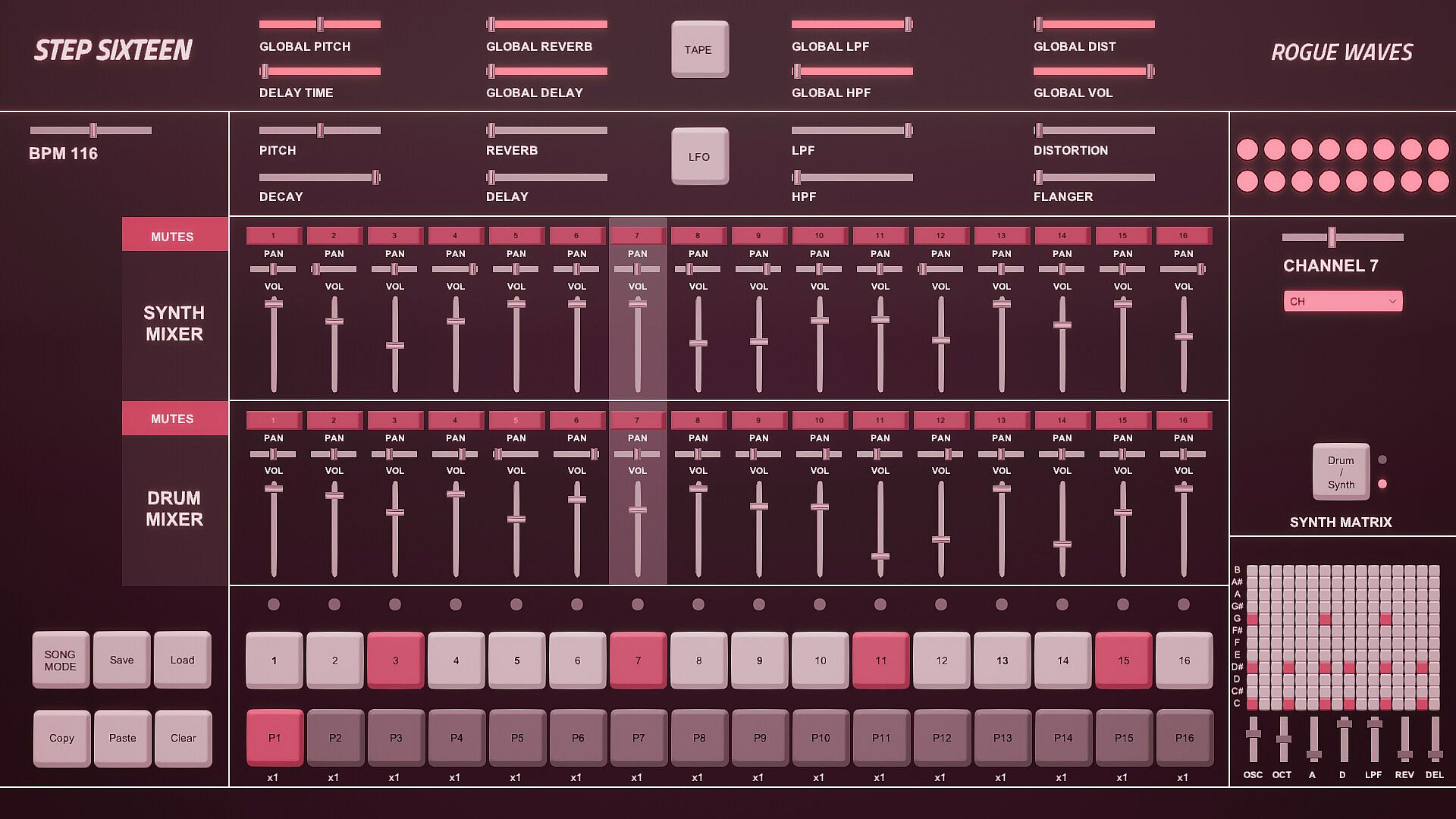
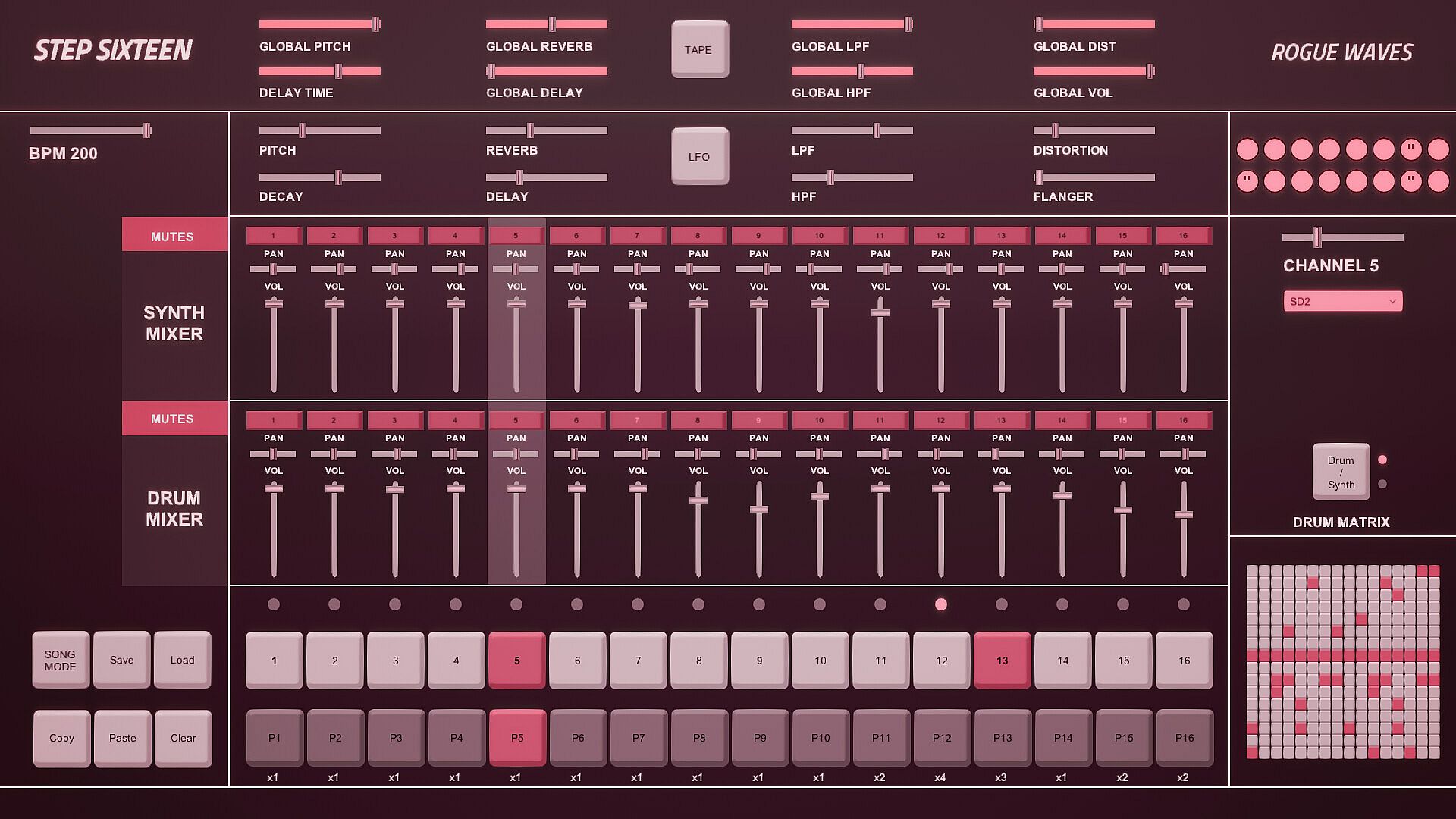
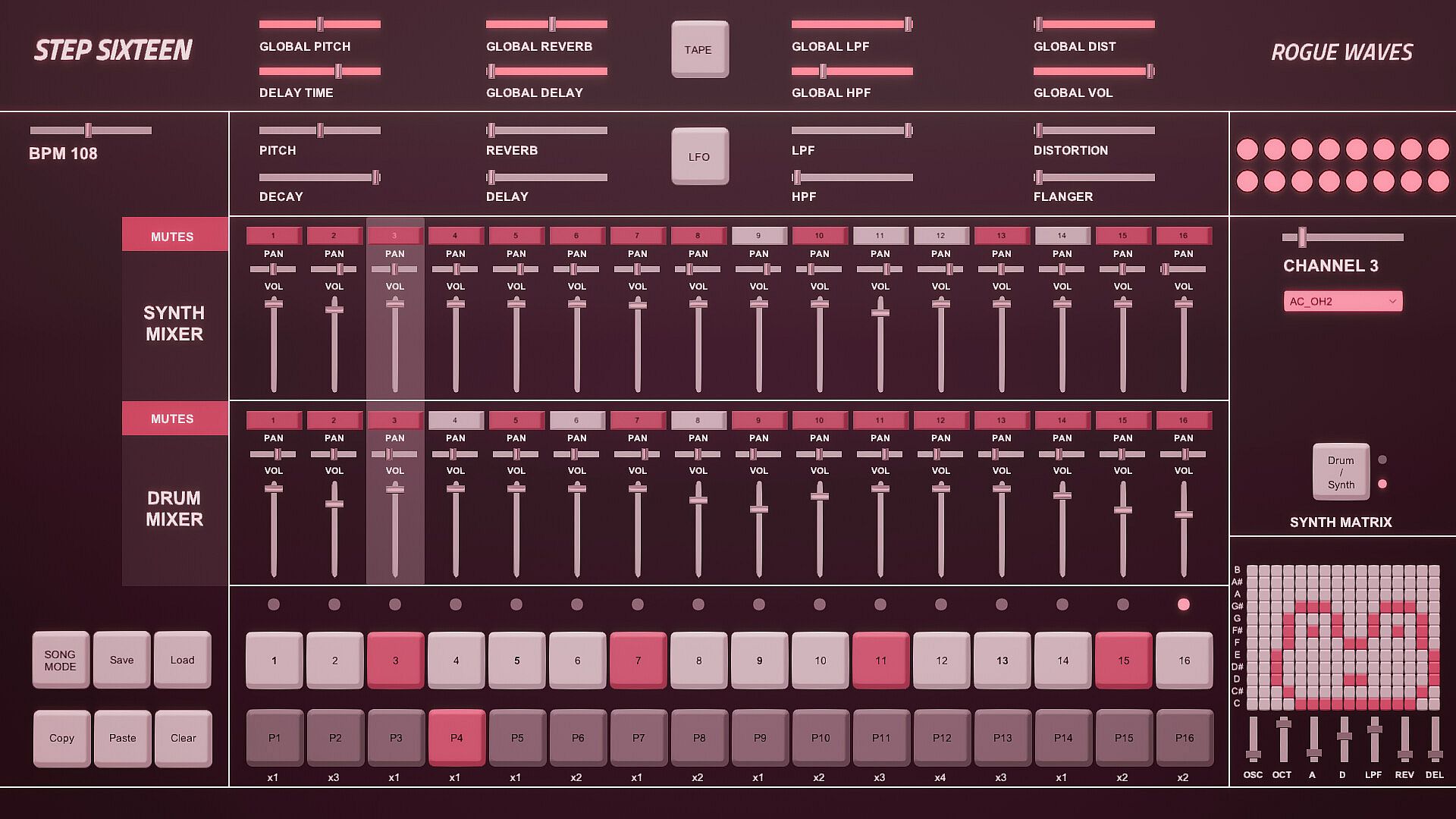
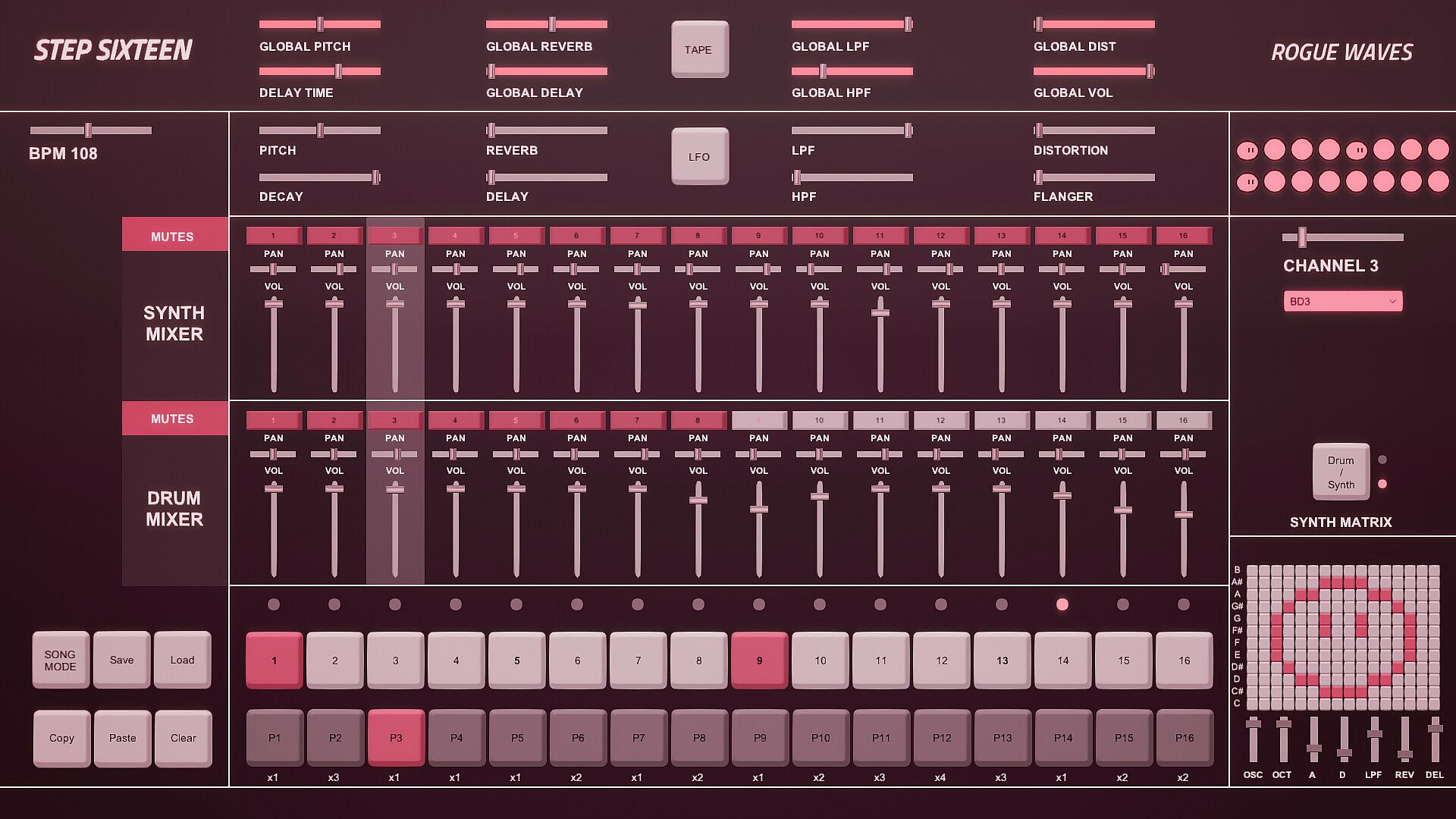
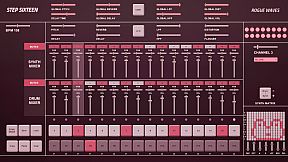
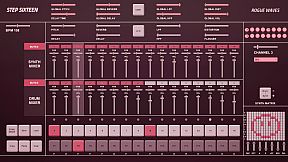
Step Sixteen delivers everything needed to craft electronic music beats, melodies, and full songs on PC. Fire up drum channels for rhythms or switch to the synth matrix for bass lines, arpeggios, chords, and more. Chain patterns in Song Mode, tweak repeats, and sequence them with simple mouse clicks on step buttons, sliders, and patch menus featuring 27 electronic and acoustic percussive sounds. Global sliders adjust pitch, delay, reverb, filters, distortion, and volume across all 16 channels, while per-channel controls add decay and flanger. FX buttons trigger tape stops or LFO pitch randomization, and mixers handle mutes, pan, and levels for drums and synths separately. Drum dancers visualize rhythms as the BPM slider sets the pace-perfect for indie audio production enthusiasts eager to build tracks fast with keyboard shortcuts like spacebar play and pattern copy-paste.

All you need to get started making electronic music - with Step Sixteen you can create your own beats, melodies or songs in no time. Use the drum channels to create wild rhythms or the synth matrix to create bass lines, arpeggios, chords or melodies.

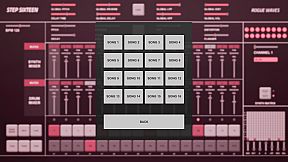
Chain patterns together and sequence them in Song Mode to create full songs.

Keyboard Controls

Press Spacebar to start or stop the sequencer.
Press Enter to Access the Main Menu.
Mouse Controls

Use the mouse to click buttons, patch dropdown menus, pattern repeat numbers and to change slider values. [NOTE: Click read more below for more details]


1. Step Indicator LEDs [1-16]
Displays the current step of the sequence when the sequencer is running. Press spacebar to start the sequencer.
[Note] Clicking a step indicator will copy its step button value, click another step indicator to paste the step.
2. Step Buttons [1- 16]
These are used to trigger the drum sounds. Click to turn a step on/off. Each channel has its own 16 step buttons.
3. Pattern Buttons [1-16]
These are used to select a pattern. When in Song Mode patterns will be played back in order.
[Note] In Song Mode pattern changes are quantised to occur at the end of the bar.
4. User Buttons.
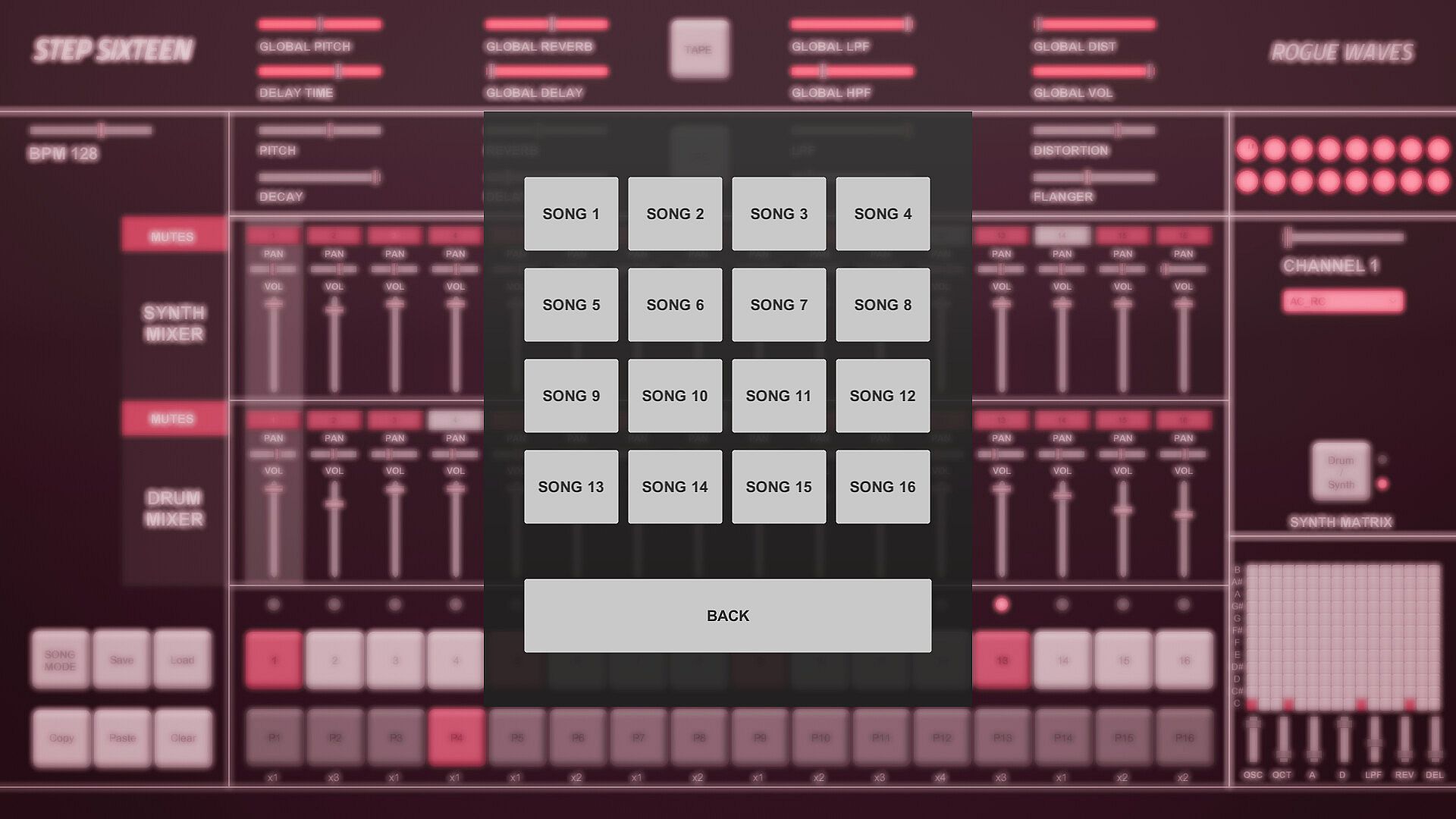
The Song Mode Button enables patterns to be played back sequentially.
The Save Button allows the user to save changes to the current song
The Load button allows the user to load what was saved.
The Copy Button allows the user to copy the currently selected pattern
The Paste Button enables the user to paste a copied pattern to another pattern.
The Clear Button clears the currently selected pattern.
[Note] Saving also automatically occurs when the program is closed.
5. Pattern Repeats.
When in Song Mode these determine how many times a pattern will repeat before progressing to the next pattern.
Repeat can be set to x1 (plays once), x2, x3 or x4.
Click on a repeat number to increment its value.
6. Matrix Section.
If the current matrix is set to Drum Matrix the user can input steps across all drum channels without having to change channels.
Channels are displayed on the vertical axis while steps are represented on the horizontal axis.
If the current matrix is set to Synth Matrix the user can input steps on the currently selected synth channels.
Notes/pitch are displayed on the vertical axis while steps are represented on the horizontal axis.
7. Matrix Switch.
Toggles between the Drum and Synth Matrix. An LED is also used to indicate which matrix is displayed.

8. Patch Drop Down Menu.
Click this menu to select the sound/patch for the currently selected Channel.
There are 27 sounds to choose from spanning a variety of electronic and acoustic percussive sounds.
[Note] The same sound/patch can be loaded on multiple channels.

9. Channel Selection Slider.
Use this slider to select the active channel.
The active channel is displayed in the text below and is also highlighted in the mixer section.
There are 16 channels to choose from.
10. Drum Dancers [1-16].
Each drum channel has a dancer that will dance according to the rhythm programmed on that channel.
11. FX Buttons.
The Tape FX Button performs a classic tape stop effect. toggle it off to resume playback.
The LFO FX Button randomises the pitch of all steps.
12. Global Sliders.
These parameters are applied across all channels.
There are global controls for Pitch, Delay Time, Reverb, Delay, LPF (Low Pass Filter), HPF (High Pass Filter), Distortion and Volume.
13. BPM Slider.
Used to set the BPM (beats per minute). This determines how fast/slow the sequencer plays back.
14. Channel Sliders.
These parameters are used to shape the current channel's sound.
There are controls for Pitch, Decay, Reverb, Delay, LPF (Low Pass Filter), HPF (High Pass Filter), Distortion and Flanger.
15. Synth Mixer Mutes [1-16].
These are used to mute/unmute synth channels 1-16.
Each mute button’s channel number will be lit when a sound is triggered on its channel.

16. Synth Mixer Pan.
Used to set the speaker panning for synth channels 1-16.
17. Synth Mixer Volume.
Used to set the volume level for synth channels 1-16.
18. Drum Mixer Mutes [1-16].
These are used to mute/unmute drum channels 1-16.
Each mute button’s channel number will be lit when a sound is triggered on its channel.

19. Drum Mixer Pan.
Used to set the speaker panning for drum channels 1-16.
20. Drum Mixer Volume.
Used to set the volume level for drum channels 1-16.
Interfaz:
English

Clasificación por edades

No disponible
Steam:
Overwhelmingly Negative (3)

Mínimo:

  • Sistema operativo: Windows 10
  • Procesador: 2.9 GHz Quad-Core Intel Core i5
  • Memoria: 8 GB RAM
  • Gráficos: NVIDIA GeForce GTX 660M 512 MB
  • Almacenamiento: 153 MB available space

Recomendado:

Mínimo histórico
Historial de precios de tiendas oficiales
-
-
-
Historial de precios de keyshops
-
-
-

FAQ

8 preguntas

Antes de buscar una clave barata de Step Sixteen, revisa lo esencial. Desarrollado por Rogue Waves. Publicado por Rogue Waves. Fecha de lanzamiento en PC: 31 may 2023. Géneros: Indie, Audio Production.

Q

¿Donde comprar una clave barata de Step Sixteen para Steam?

Gracias a nuestro comparador de precios y codigos de descuento verificados, puedes comprar una clave de Step Sixteen por solo 4,99 €. Esta oferta esta disponible en Steam y es una de las mas baratas del mercado. Todas las claves en XD.deals se entregan digitalmente y se pueden descargar al instante tras el pago. Los precios ya incluyen comisiones y codigos promocionales aplicados, asi que siempre ves el precio mas bajo de Step Sixteen en PC. Consulta el historial de precios de Step Sixteen para comprar en el mejor momento.

Segun nuestra ultima actualizacion (refrescamos los precios de Steam varias veces al dia), el precio de Step Sixteen en Steam es 4,99 €. Puedes ahorrar un ~6% extra pagando con una tarjeta regalo de Steam con descuento.

Nuestro rastreador de precios cubre tanto tiendas oficiales como keyshops, asi que puedes encontrar Step Sixteen en oferta incluso fuera de las promociones de temporada. Actualmente detectamos 1 oferta activa en tiendas oficiales y keyshops. Consulta la tabla de arriba, compara con el minimo historico y crea una alerta para no perderte la proxima bajada de precio.

Segun nuestros datos, Step Sixteen no esta disponible actualmente en GeForce NOW. Necesitaras ejecutarlo localmente en tu PC. Consulta los juegos disponibles en GeForce NOW.

Si. Step Sixteen tiene una pagina oficial en Steam. Tambien puedes comprar una clave de Steam de Step Sixteen a traves de vendedores externos. Nuestro comparador de precios incluye actualmente 1 oferta con DRM de Steam. Elige una para asegurarte de que la descarga de Step Sixteen se realice en la plataforma de Valve.

No en este momento. Valve marca Step Sixteen como No compatible con Steam Deck. Estate atento a XD.deals - seguimos las actualizaciones de Proton y las soluciones de la comunidad. Consulta los juegos Steam Deck Verified o Steam Deck Playable.

Step Sixteen no parece estar disponible en PC Game Pass, EA Play, Ubisoft+ ni en ningun otro servicio de suscripcion para PC en este momento. Tu unica opcion es comprar el juego - usa XD.deals para encontrar el mejor precio.

No - XD.deals no es una tienda. Somos un comparador de precios que rastrea las mejores ofertas de Step Sixteen en tiendas oficiales y keyshops verificados. Haz clic en "Ir a la tienda" junto a cualquier oferta y seras redirigido a la web del vendedor para completar tu compra.

Mejores precios para Step Sixteen

1 Steam Steam Official
4,99 €

¿Quieres comprar en el mejor momento? Crea una alerta de precio en XD.deals y recibe una notificacion cuando Step Sixteen alcance su proximo minimo historico.

Crear alerta
Únete a nuestro Discord
Obtén ayuda al instante de nuestra comunidad y mantente al día de las últimas ofertas
Configurar alertas de precio
Recibe avisos por correo cuando los precios bajen a tu objetivo
Crear cuenta gratis
Desbloquea listas de deseos, alertas de precio y sincronización con Steam