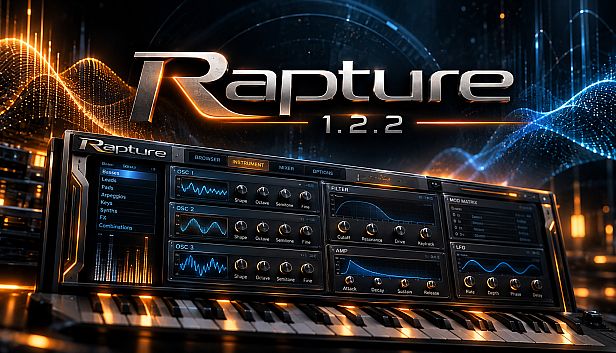


Rapture 1.2.2 functions as a wavetable synthesizer plugin designed for audio production on PC. It integrates oscillator and sample-based synthesis within VST and AAX formats, allowing users to load sounds and shape them through layered elements. The software supports compatibility with multiple digital audio workstations, including SONAR, Cubase, FL Studio, and Studio One, and bundles with Cakewalk's SONAR in some editions.
Gameplay
Core operation centers on a six-element architecture where each element combines waveforms or samples. Users adjust volumes simultaneously via a vector mixer while applying per-element tone shaping through visual EQ. Modulation options include seven step generators, seven LFOs, and seven envelope generators per element, enabling rhythmic patterns and dynamic changes. A modulation matrix maps parameters for real-time control, and 13 distortion effects plus 21 filters expand sound design options. The interface features color-coded sections for quick navigation between mixing, editing, and performance controls.
Sound browsing relies on a searchable library exceeding 4GB in the Session version and nearly 10GB in the Pro edition, drawn from professional designers. Presets span categories such as pianos, leads, basses, organs, and atmospheres. MIDI mapping occurs through a two-click process for controller assignments, supporting live adjustments with macro knobs, X-Y pads, and vector mixing. Individual elements accept separate microtuning files, and multitimbral mode permits independent playback of each element.
Game Modes
Rapture Pro distinguishes between Perform mode and Edit mode. Perform mode prioritizes real-time interaction with sounds during stage or studio sessions, offering immediate access to expressive controls without deep menu diving. Edit mode overlays detailed synthesis parameters, filters, and effects for precise sound creation and modification.
Rapture Session emphasizes a streamlined instrument page suited for live performance, with simplified controls and a focus on preset selection and quick MIDI assignments. Both versions maintain compatibility with existing libraries from Dimension Pro, Rapture, and Cakewalk Sound Center expansions.
Key Features and Compatibility
The tool excels in studio and live settings through its expandable sound library and support for Windows Universal Audio compatibility. Sorting and search functions in the browser allow rapid access to presets. Insert effects apply individually to each element, while global options handle overall mixing with faders, pan, and sends. Upgrades from Session to Pro unlock additional FX, control depth, and a larger preset collection.
Supported hosts extend beyond Cakewalk products to any VST-compatible DAW on Windows systems. The software handles both synth and sample layering freely, with performance improvements noted in updates for 64-bit operation and stability.
Is It Worth Playing?
Rapture 1.2.2 suits musicians and producers seeking a versatile synth for layering and modulation-heavy sound design. Its straightforward interface in the Session variant lowers the entry point for beginners, while the Pro version provides advanced editing for experienced users. Availability through established DAW bundles and VST support makes it accessible for those already working in compatible environments. The software maintains relevance for users who value its specific modulation tools and preset quality over newer alternatives.